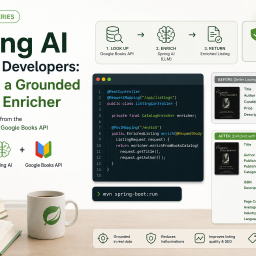
In the first post in this series, we built a Seller Listing Quality API with Spring Boot and Spring AI. We switched between OpenAI and Gemini by activating a different Spring profile, while the controller, service, prompt, and response model stayed the same.
This time, I want to take that idea one step further. Can we move the same application from cloud models to local models without changing its business code?
We will run Gemma 4 locally in two ways:
- Ollama, using Spring AI’s native Ollama integration.
- oMLX on Apple Silicon, using its OpenAI-compatible API.
The interesting part is not only running a model on a laptop. It is seeing how two different integration styles can still sit behind the same ChatClient.
TL;DR – SmtC
Too Long; Didn’t Read – Show me the Code: https://github.com/iseif/listing-quality
What will change?
Our public API will not change:
POST /api/listings/reviewThe domain flow will not change either:
ListingReviewController
        |
ListingReviewService
        |
ListingReviewGenerator
        |
Spring AI ChatClient
        |
        + ollama profile: OllamaChatModel to localhost:11434
        |
        + omlx profile: OpenAiChatModel to localhost:8000/v1
We will add one dependency and two profile files. The existing prompt resources, structured output mapping, Java validation, and API exception handler will remain in place.
This is also why we do not need API version 2. Changing an internal model provider does not change the HTTP contract.
Why run a model locally?
Local inference can be useful for development, experiments, offline work, and data that should not be sent to a hosted model provider. It can also make repeated testing easier because there is no per-request API charge.
But local does not mean free of operational concerns. We now own model downloads, memory usage, startup time, runtime availability, upgrades, and machine-specific performance. A local server can be stopped. A model can be missing. The machine can run out of memory. The model can still return invalid output.
There is also an important privacy boundary. In this example, the Spring Boot application sends seller data to a service on localhost. That is different from sending it to a cloud API, but we should still control where the local server listens, who can access it, and whether prompts or completions are logged.
The project keeps Spring AI prompt and completion observation logging disabled by default:
spring:
  ai:
    chat:
      observations:
        log-prompt: false
        log-completion: false
Choosing a model that fits your machine
Before downloading a local model, I want to know two things: will it fit in memory, and will it run at a useful speed? The parameter count alone does not answer either question.
I look at:
- Available RAM, dedicated GPU memory, or unified memory, rather than only the installed total.
- The model’s quantization and the size of the exact artifact I plan to run.
- Context length, because longer prompts and responses require more memory.
- Estimated generation speed. A model that loads but produces only a few tokens per second may not suit an interactive API.
- Headroom for the operating system, Ollama or oMLX, the JVM, the IDE, and other applications.
Two tools can provide a useful starting point:
- CanIRun.ai gives a quick, zero-install estimate in the browser. It detects the available hardware through browser APIs and ranks models by expected fit and speed.
- llmfit is a terminal tool that detects RAM, CPU, GPU memory, and the available inference backend. It ranks models across fit, speed, quality, and context, supports both Ollama and MLX, and can benchmark a running local provider.
These results are estimates, not guarantees. Browser hardware detection can be approximate, model catalogs can lag behind a new release, and real performance depends on memory pressure, context length, runtime versions, and background applications.
There is a concrete example with the model in this article. At the time of writing, CanIRun.ai lists Gemma 4 E4B with different size and context figures from Ollama’s exact gemma4:e4b artifact. I therefore use these tools to narrow the candidates, then verify the exact tag on the runtime provider’s model page before downloading it.
Ollama describes E4B as an edge model, so it is a reasonable laptop-class example. But I would not say that it runs well on every recent system. The Ollama artifact is about 9.6 GB before runtime overhead, which makes an 8 GB machine unrealistic. A 16 GB machine may run it, but it can become tight when the local runtime, Spring Boot application, IDE, and operating system are active together. The oMLX conversion used later is smaller, but its download size is still not the model’s complete runtime memory requirement.
Adding Spring AI’s Ollama integration
Spring AI provides a native OllamaChatModel. Add its starter to pom.xml:
<dependency>
    <groupId>org.springframework.ai</groupId>
    <artifactId>spring-ai-starter-model-ollama</artifactId>
</dependency>
The project already imports the Spring AI BOM, so the dependency does not need its own version:
<dependencyManagement>
    <dependencies>
        <dependency>
            <groupId>org.springframework.ai</groupId>
            <artifactId>spring-ai-bom</artifactId>
            <version>2.0.0</version>
            <type>pom</type>
            <scope>import</scope>
        </dependency>
    </dependencies>
</dependencyManagement>
Now create src/main/resources/application-ollama.yaml:
spring:
  ai:
    model:
      chat: ollama
    ollama:
      base-url: ${OLLAMA_BASE_URL:http://localhost:11434}
      chat:
        model: ${OLLAMA_CHAT_MODEL:gemma4:e4b}
        num-predict: 800
spring.ai.model.chat=ollama selects Spring AI’s Ollama chat implementation. The remaining properties configure the local endpoint, model, and response token limit.
I keep the URL and model configurable through environment variables, even for a local development profile. This helps when Ollama runs on another machine, in a container, or with a different model tag.
Installing Ollama and downloading Gemma 4
First, install Ollama for your operating system and make sure its service is running.
Then download the model explicitly:
ollama pull gemma4:e4bYou can confirm that it is available with:
ollama listThe gemma4:e4b artifact is currently about 9.6 GB, so I prefer an explicit setup command instead of asking Spring Boot to download it during application startup.
Spring AI supports automatic Ollama model pulling, but its documentation also warns that downloading models can significantly delay startup. An explicit download makes application startup predictable and avoids a multi-gigabyte surprise in tests or production.
Start the API with the new profile:
./mvnw spring-boot:run -Dspring-boot.run.profiles=ollamaAt this point, the existing ChatClient uses OllamaChatModel. We did not add an Ollama SDK call to our service and we did not create a second implementation of the listing review workflow.
Running Gemma 4 with oMLX on Apple Silicon
I use oMLX for the Apple path in this article. It is an inference server built for Apple Silicon and exposes OpenAI-compatible endpoints, including /v1/chat/completions and /v1/models.
The oMLX project currently requires Apple Silicon and macOS 15 or newer. You can install its macOS app from the oMLX releases page. The app provides a menu bar interface and an admin dashboard for managing models.
You can also install it with Homebrew:
brew tap jundot/omlx https://github.com/jundot/omlx
brew install omlx
omlx start
Open the local admin dashboard:
http://localhost:8000/adminUse its model downloader to install mlx-community/gemma-4-e4b-it-4bit. The model card describes it as a 4-bit MLX conversion for Apple Silicon and currently lists a download size of about 5.15 GB.
After the download finishes, ask oMLX which model identifiers it exposes:
curl http://localhost:8000/v1/modelsThis check matters because an OpenAI-compatible client sends the model identifier in every request. oMLX can expose a directory name or a configured alias. If the returned identifier differs from the repository default, set OMLX_CHAT_MODEL to the returned value before starting Spring Boot.
Connecting Spring AI to oMLX
There is no oMLX dependency to add to our Java project. We already have Spring AI’s OpenAI starter from the first post:
<dependency>
    <groupId>org.springframework.ai</groupId>
    <artifactId>spring-ai-starter-model-openai</artifactId>
</dependency>
Create src/main/resources/application-omlx.yaml:
spring:
  ai:
    model:
      chat: openai
    openai:
      chat:
        base-url: ${OMLX_BASE_URL:http://localhost:8000/v1}
        api-key: ${OMLX_API_KEY:local}
        model: ${OMLX_CHAT_MODEL:mlx-community/gemma-4-e4b-it-4bit}
        max-tokens: 800
There is a small but important detail here. The profile is called omlx, but spring.ai.model.chat is set to openai.
That property selects the Spring AI client implementation. It does not say that the model is hosted by OpenAI. We want Spring AI’s OpenAiChatModel, then we change its base URL from the hosted OpenAI API to oMLX’s local OpenAI-compatible endpoint.
Spring AI’s OpenAI client expects an API-key value. oMLX does not require authentication for its default localhost setup, so the profile uses local as a harmless default value. If you enable oMLX API-key authentication, provide the same key through OMLX_API_KEY.
Start the application:
./mvnw spring-boot:run -Dspring-boot.run.profiles=omlxThe controller and service still do not know whether the request goes to Ollama, oMLX, Gemini, or OpenAI.
A Spring AI 2.0 configuration cleanup
While adding the local profiles, I also corrected a deprecated configuration shape in the existing cloud profiles.
Older Spring AI examples often nested provider options below chat.options. Spring AI 2.0 keeps that shape for compatibility, but deprecates it in favor of direct chat properties.
For OpenAI, the response limit now looks like this:
spring:
  ai:
    openai:
      chat:
        model: gpt-5.4-mini
        max-completion-tokens: 800
For Gemini:
spring:
  ai:
    google:
      genai:
        chat:
          model: gemini-3.1-flash-lite
          max-output-tokens: 800
The provider-specific property names still differ. OpenAI’s newer model uses max-completion-tokens, Gemini uses max-output-tokens, Ollama uses num-predict, and the OpenAI-compatible Gemma request uses max-tokens.
This is a useful reminder that an abstraction can keep our application architecture clean without pretending that every provider has identical capabilities or request parameters.
The Java code stays unchanged
The same ChatClient configuration from the first post still applies a provider-neutral temperature and system prompt:
@Bean
ChatClient listingReviewChatClient(
    ChatClient.Builder chatClientBuilder,
    @Value("classpath:/prompts/listing-review-system.st") Resource systemPrompt,
    ListingReviewAiProperties properties) {
  return chatClientBuilder
      .defaultSystem(systemPrompt)
      .defaultOptions(ChatOptions.builder()
          .temperature(properties.temperature()))
      .build();
}
The generator still asks Spring AI for a typed Java object:
return chatClient.prompt()
    .user(prompt)
    .call()
    .entity(ListingReview.class, EntityParamSpec::validateSchema);
oMLX documents support for JSON-schema structured output, and Ollama can also accept structured output formats. Spring AI handles the provider call and converts the response into ListingReview.
We still validate the mapped object afterward:
Set<ConstraintViolation<ListingReview>> violations = validator.validate(review);
if (!violations.isEmpty()) {
  throw new InvalidAiResponseException(new ConstraintViolationException(violations));
}
Structured output and business validation solve different problems. A response may be valid JSON with the correct fields and still contain an out-of-range score, a blank suggestion, or another value our API should reject.
Calling the same API
Use the same request with either active profile:
curl -X POST http://localhost:8080/api/listings/review \
  -H "Content-Type: application/json" \
  -H "X-API-Version: 1" \
  -d '{
    "title": "Wireless keyboard",
    "description": "Nice keyboard, used only a few times.",
    "category": "Computer accessories",
    "price": 45.00,
    "attributes": {
      "brand": "KeyPro",
      "condition": "used"
    }
  }'
The response keeps the same ListingReview shape shown in the first article. The exact score and suggestions can differ between runtimes and even between repeated calls.
These two Gemma 4 downloads also should not be treated as byte-identical artifacts. The Ollama model uses its own packaging and quantization, while the oMLX example uses a 4-bit MLX conversion. They represent the same model family and size class, but runtime, conversion, prompt handling, and sampling can all influence the result.
Local failures still need a safe API response
Moving inference to the same machine does not remove failure modes. Try calling the API while the selected local server is stopped. The client should not receive a connection stack trace or a long provider exception.
The existing exception translation turns provider failures into a concise ProblemDetail response:
{
  "type": "urn:problem:ai-provider-unavailable",
  "title": "AI provider unavailable",
  "status": 503,
  "detail": "Listing review is temporarily unavailable. Please try again.",
  "instance": "/api/listings/review",
  "code": "AI_PROVIDER_UNAVAILABLE"
}
If the model returns content that cannot be converted or validated, the API returns 502 AI_RESPONSE_INVALID instead. Detailed exceptions stay in server logs, where they can help us distinguish a stopped runtime, missing model, memory problem, or malformed response.
Testing profiles without running models
I do not want an automated build to download large models or depend on a local service. The existing service and controller tests already use fakes and mocks, so they make no paid or nondeterministic model calls.
For the new profiles, I added a small configuration test that loads the YAML resources and checks the important properties:
@Test
void omlxProfileUsesOpenAiCompatibilityAndMlxGemma4() throws IOException {
  ConfigurableEnvironment environment = loadProfile("omlx");

  assertThat(environment.getProperty("spring.ai.model.chat")).isEqualTo("openai");
  assertThat(environment.getProperty("spring.ai.openai.chat.base-url"))
      .isEqualTo("http://localhost:8000/v1");
  assertThat(environment.getProperty("spring.ai.openai.chat.model"))
      .isEqualTo("mlx-community/gemma-4-e4b-it-4bit");
  assertThat(environment.getProperty("spring.ai.openai.chat.max-tokens", Integer.class))
      .isEqualTo(800);
}
The complete test suite runs offline:
./mvnw -o testAt the time of writing, the project has 26 passing tests and the application also packages successfully in Maven offline mode after its dependencies are cached.
Manual inference checks remain separate. They require a running local server and the downloaded model, but they are not part of Maven’s test lifecycle.
Ollama and oMLX side by side
| Concern | Ollama | oMLX |
|---|---|---|
| Spring AI integration | Native Ollama starter | OpenAI starter with a compatible base URL |
| Example model | gemma4:e4b |
mlx-community/gemma-4-e4b-it-4bit |
| Platform focus | Cross-platform local runtime | Apple Silicon and macOS |
| Default endpoint | http://localhost:11434 |
http://localhost:8000/v1 |
| Model download | ollama pull |
oMLX admin model downloader |
| Domain code changes | None | None |
Ollama gives Spring AI a native model integration with Ollama-specific properties. oMLX demonstrates a different kind of portability: a server can implement a familiar protocol and reuse an existing Spring AI adapter.
Neither approach is universally better. Ollama is a convenient cross-platform choice with direct Spring AI support. oMLX is attractive when I want an Apple Silicon-focused runtime and an OpenAI-compatible API that can serve existing clients.
What did we learn?
The most important result is not that the application can run Gemma 4 locally. It is that our boundary held.
We added Spring AI’s Ollama starter, created two Spring profiles, and kept the rest of the application unchanged. The controller still receives a ListingDraft. The service still renders the same prompt. The generator still calls ChatClient. The validator and exception handler still enforce the same API contract.
That is the practical value of provider-neutral application code. It does not erase differences between providers and runtimes. It gives those differences a clear place to live, mostly at the configuration and adapter boundary.
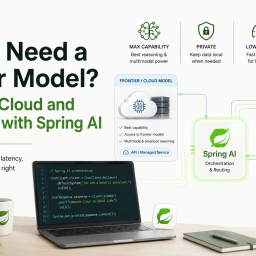
A natural next step would be deciding when to use a local model and when to use a cloud model, including fallback, routing, privacy, and availability tradeoffs. That deserves its own design instead of being hidden inside this configuration tutorial.